Generate images from text
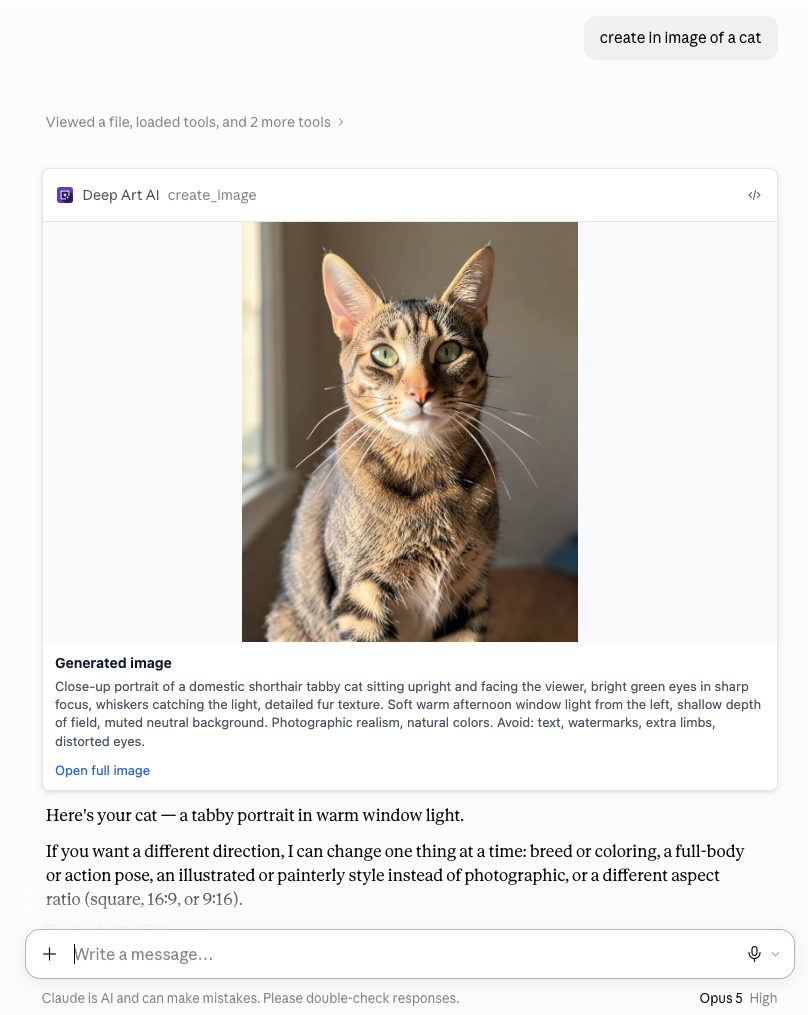
Describe the subject, style, composition, or atmosphere you want, and Deep Art AI creates a new image right in your conversation.
Generate and edit images and videos from a text prompt, right from your Claude conversation — powered by continuously updated, state-of-the-art generation models.
Describe the subject, style, composition, or atmosphere you want, and Deep Art AI creates a new image right in your conversation.
Describe the movement, mood, or scene you want, and Deep Art AI submits a video generation job from your prompt.
Refine a generated image or video with follow-up instructions, right in the same conversation.
See your current Deep Art AI balance without leaving the conversation.
Deep Art AI is built on the latest and most advanced image and video generation technologies. The underlying models are continuously kept up to date, so you benefit from state-of-the-art quality, more accurate prompt understanding, better consistency, enhanced realism, and the newest creative generation capabilities. As image and video models keep advancing, Deep Art AI adopts them automatically — no updates or configuration needed on your end, just better results over time.
Server URL
https://api.deepart.ai/mcp
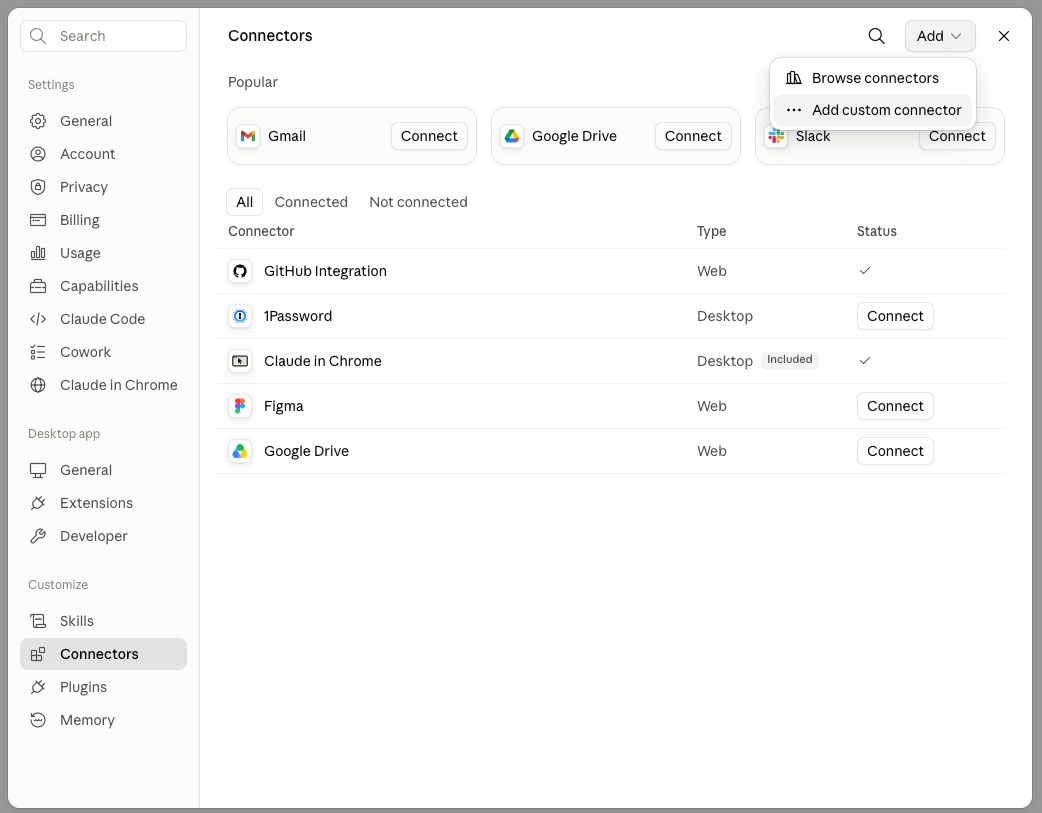
In Claude, go to Settings → Connectors, click Add, and choose “Add custom connector”.
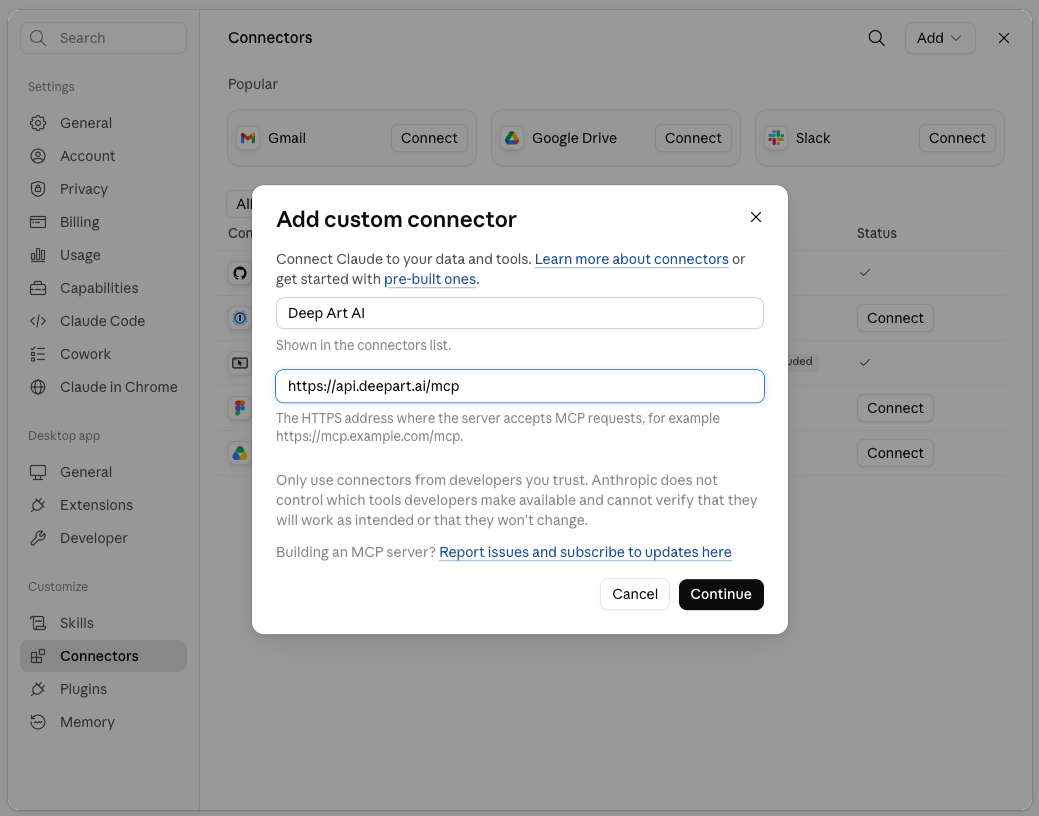
Name it Deep Art AI and paste https://api.deepart.ai/mcp as the server address, then click Continue.
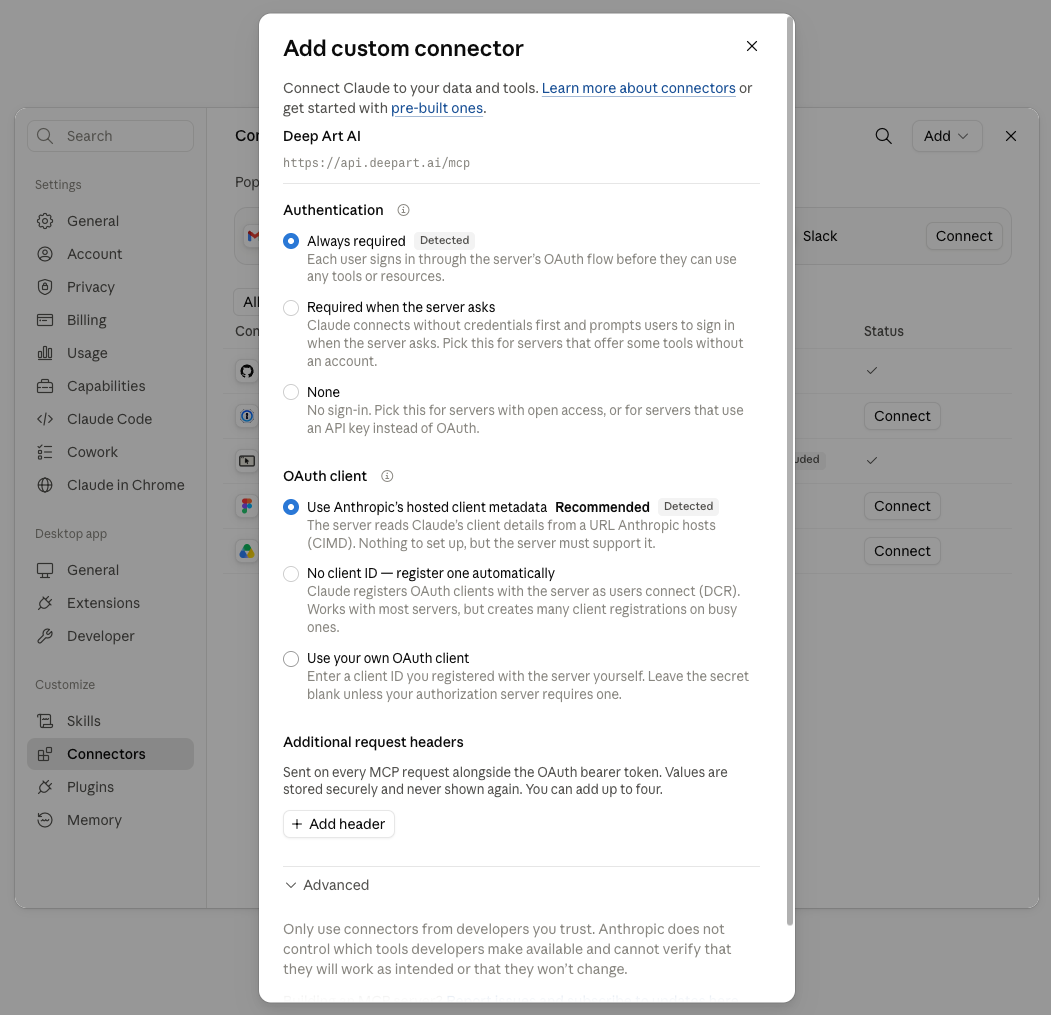
Claude detects the right options automatically: Authentication “Always required” and Anthropic’s hosted OAuth client metadata. Leave both as they are and save.
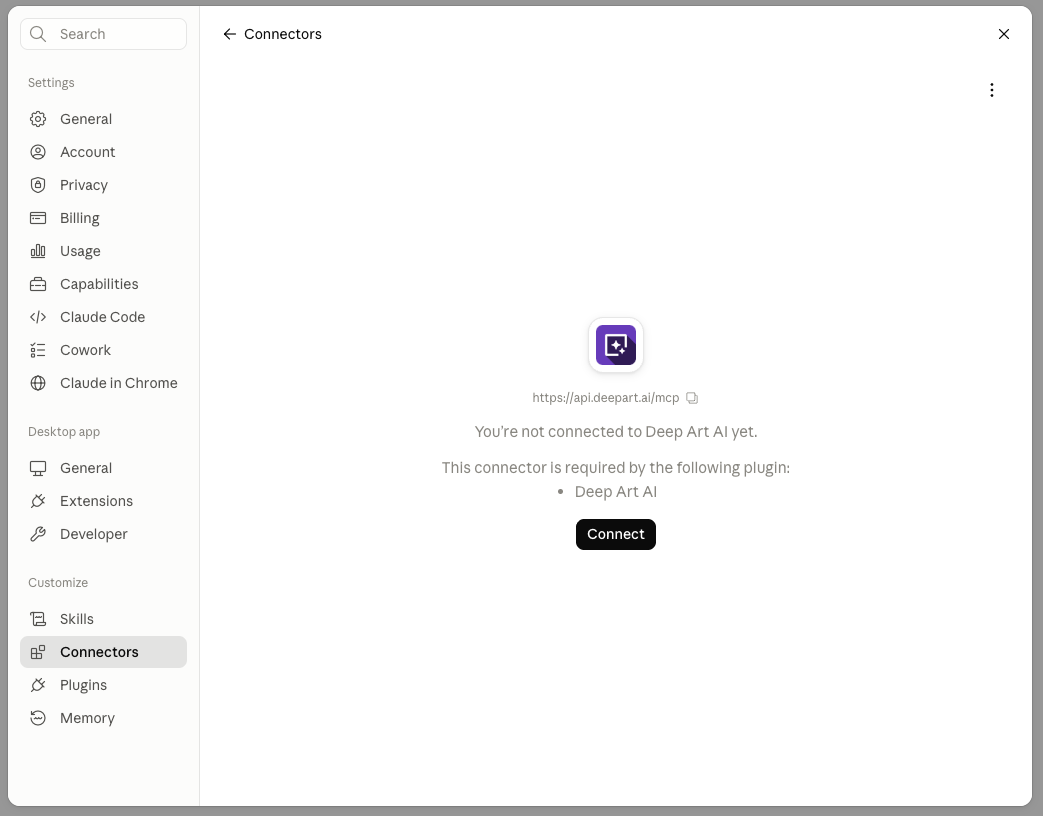
Click Connect and sign in with your Deep Art AI account to authorise the connection.
Choose when Claude may create images and videos, edit images, and read your credit balance. “Always allow” gives the smoothest experience.
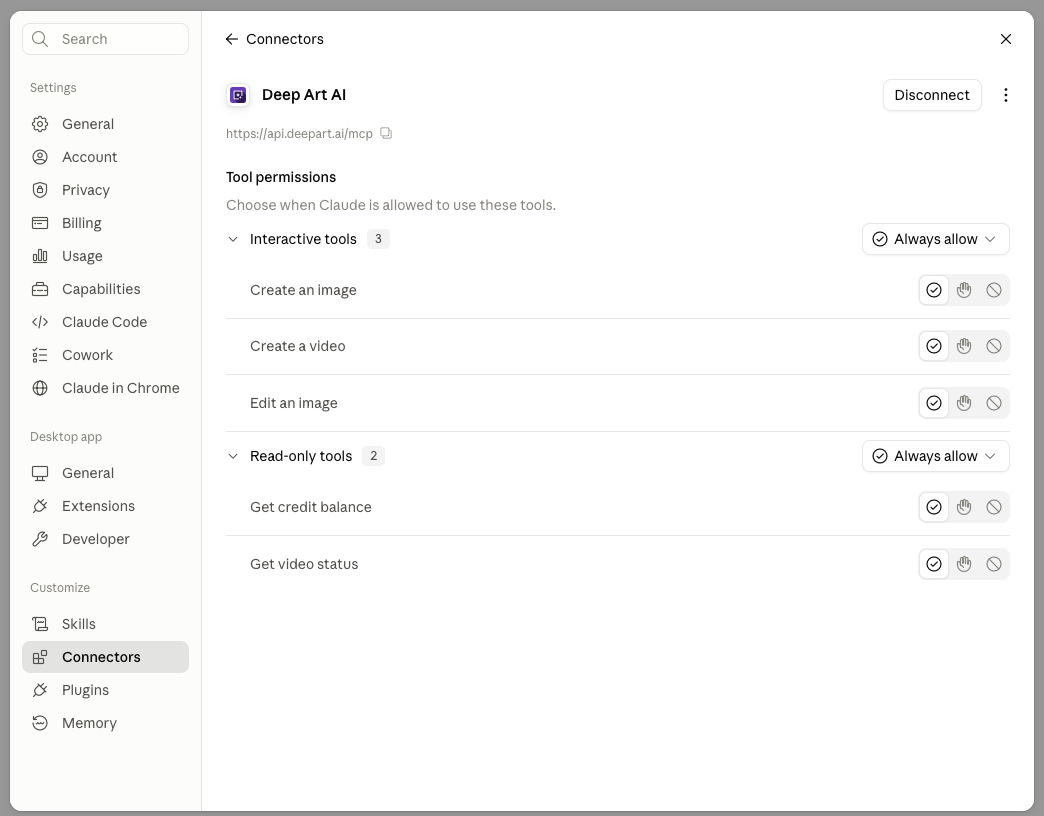
Back in a conversation, describe what you want — Deep Art AI creates it and returns the result inline.
Free to add. Works with your existing Claude account on web, desktop, and mobile.
 English
 German
 Dutch
Dutch French
 Spanish
 Italian
 Japanese
 Polish
 Russian
 Portuguese
 Chinese