
The latest social media craze lets you reimagine yourself in a 1990s high school yearbook – neon backdrops, retro outfits, soft focus and all. This viral “AI Yearbook” trend has exploded on TikTok and Instagram, with the TikTok hashtag #AIYearbook soaring to hundreds of millions of views. Celebrities like Keke Palmer and Guy Fieri jumped on the trend, sharing collages of AI-generated 90s-style portraits and driving the frenzy even further. It’s a perfect blend of nostalgia and creativity: Millennials get to relive their school days, Gen Z gets a retro makeover, and everyone bonds over throwback looks and yearbook clichés.
But joining this trend usually means uploading a bunch of personal selfies to a cloud AI service – something not everyone is comfortable with. What if you could create those fun 90s yearbook photos offline, keeping full control of your data? In this post, we’ll show you how to recreate the 90s yearbook aesthetic using Deep Art Creator Pro (or Deep Art Effects Pro) entirely offline on your PC. You’ll get the same “back to 90s” portraits – retro hairstyles, vintage outfits, soft lighting, and nostalgic filters – without ever sending your images to the cloud. We’ll cover step-by-step how to transform your selfies into authentic 90s-style yearbook portraits with AI style transfer and image-to-image techniques. Along the way, we’ll discuss data privacy benefits, tips for refining the look (think film grain, VHS effects, etc.), popular prompts and keywords to nail the aesthetic, and more. Let’s dive into this AI retro portrait tutorial and bring those yearbook memories back – privately and creatively!
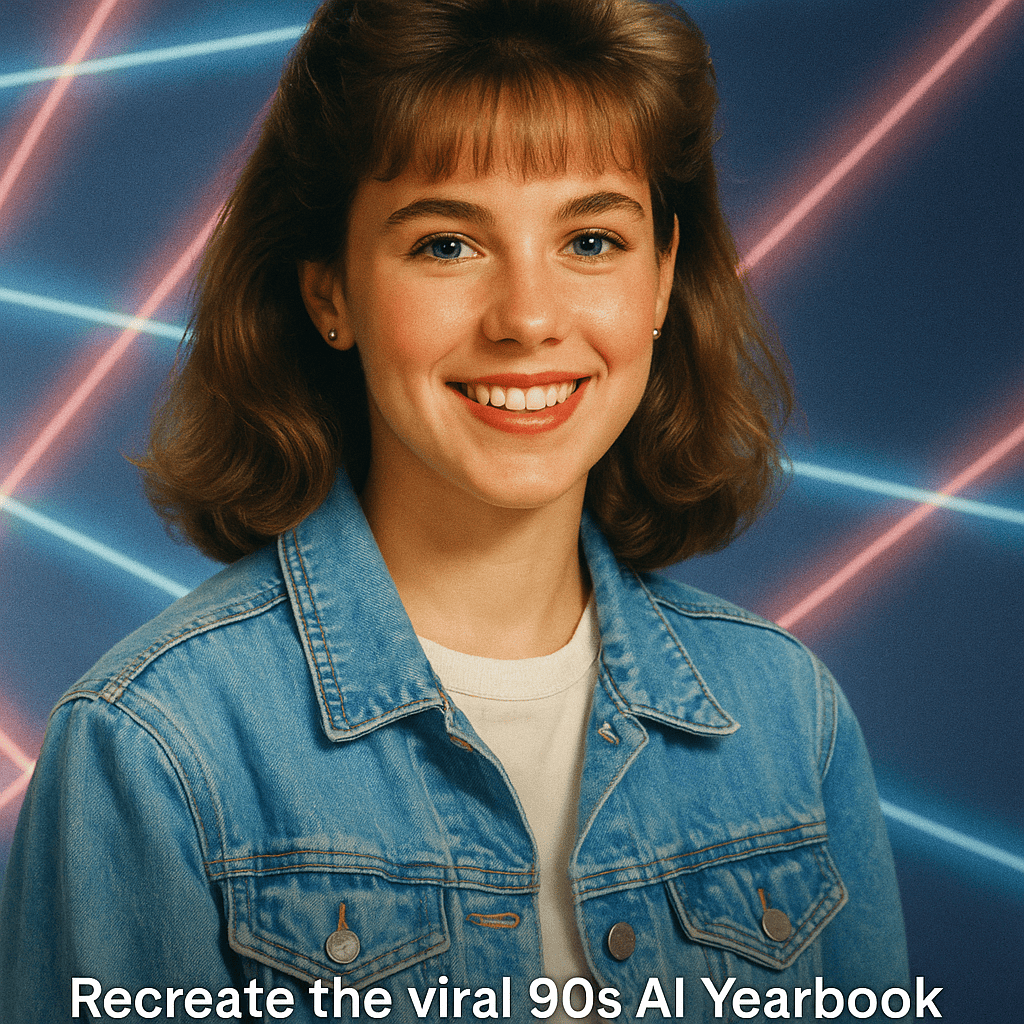
Figure: An example of an AI-generated 90s-style yearbook portrait, complete with a retro preppy outfit, soft studio backdrop, and vintage photo vibes.
What Is the AI Yearbook Trend?
The AI Yearbook trend uses AI photo editors to turn ordinary selfies into portraits that look like real 1990s yearbook photos. These images feature authentic 90s details – from laser beam backdrops and soft studio lighting to classic hairstyles and fashion. In other words, it’s digital time travel with a nostalgic twist.
The trend began in late 2023 when an app called EPIK introduced its “AI Yearbook” mode. With just a few selfies, users could generate dozens of portraits. Soon TikTok and Instagram filled with collages of people as the jock, the nerd, the goth or the cheerleader. As a result, both older and younger generations embraced it.
On TikTok, #AIYearbook surpassed 250 million views within weeks. On Instagram, celebrities joined the fun as well. For example, Keke Palmer posted her own AI yearbook pictures and laughed about how different she looked.
In short, the trend went viral because it’s fun, nostalgic and highly shareable. Yet, despite the excitement, most creators overlooked one thing – the data risks behind these viral AI apps.
The Privacy Problem: Why Cloud AI Apps Aren’t Safe
Most AI yearbook apps rely on cloud processing. You upload several selfies, and a remote server creates the portraits. While convenient, this model comes with several issues.
Data Privacy Concerns
When you upload your face photos to a random app, you don’t truly know what happens next. In fact, you may be granting the company permission to use your likeness for model training. Even if an app promises to delete your data later, it still processes your selfies on external servers. Therefore, you lose real control over your personal images.
Limited Creative Control
Cloud-based AI editors also act like black boxes. You upload, wait and hope for the best. The system decides which 90s look you’ll get. If it turns out weird, you must start over. As a result, you waste both time and creative potential.
Extra Costs and Long Wait Times
During the trend’s peak, users paid around $6–$10 per batch of portraits. However, server overloads meant long queues and slow processing. Some people waited hours even after paying for “express” service.
Why Offline AI Photo Editors Are the Better Choice
Because of these downsides, many creators now prefer offline tools. Deep Art Creator Pro and Deep Art Effects Pro let you achieve the same transformation directly on your computer. All AI processing happens locally, so your images never leave your device. Consequently, your privacy stays intact, and your workflow remains fully in your hands.
Moreover, you can create as many variations as you like without additional costs or delays. The result is faster, safer and more flexible.
Full Data Privacy
Deep Art processes every photo on your PC. No servers, no tracking, no uploads. Therefore, your images stay yours – completely private.
Total Creative Freedom
Because the software runs offline, there are no filters, bans or hidden content rules. You can experiment freely – even with wild ideas like a “90s yearbook on Mars” or a cyberpunk version with neon lighting. Offline, you’re in full creative control.
How to Recreate the 90s Yearbook Look Offline
Ready to make your own retro portraits? Follow these simple steps to generate your AI yearbook photo offline.
Step 1: Load Your Photo
Import a clear, front-facing picture with even lighting and a simple background.
Step 2: Choose an AI Mode
Select either Style Transfer or Image-to-Image. You can use built-in filters or upload a 90s-style reference image.
Step 3: Apply the Style
Run the transformation. The software renders the image locally within seconds. Treat the first result as your draft.
Step 4: Refine the Look
Tweak color, contrast and grain. You can stylize background and foreground separately to enhance realism.
Step 5: Create More Versions
Make multiple looks – jock, goth, preppy or class clown. Each adds new personality to your yearbook gallery.
Step 6: Save and Share
Export your favorite portraits in high resolution. You can upscale them up to 4× for printing or posting online.
Tips for Perfect 90s AI Yearbook Photos
Getting a convincing 90s yearbook vibe is easy once you know the details.
Use strong keywords. Add “90s”, “retro”, “film grain”, “studio portrait”, or “soft focus” to your prompts. These guide the AI toward the right tone.
Find real references. Old yearbooks or royalty-free stock images work great. Look for denim jackets, scrunchies and neon backdrops.
Adjust the style strength. Keep it moderate so the result looks authentic, not over-painted.
Keep faces clear. If features look odd, blend a little of the original image back in.
Experiment with themes. Try sports, glam, or grunge styles for variety. That’s what makes the trend fun.
Preserve quality. Use portrait ratios like 3:4 or 4:5 and keep high-res copies offline.
Conclusion: Bring the 90s Back — Privately
The AI Yearbook trend proves how creative AI can be. In just minutes, you can turn a selfie into a nostalgic school portrait. However, privacy still matters.
With Deep Art Creator Pro and Deep Art Effects Pro, you get the same viral look — but offline. No cloud, no subscriptions, no risk. Instead, you gain privacy, speed and unlimited creativity.
So, dust off an old photo or take a new one today. Recreate your own “Class of ’95” look and share it with pride.
Ready to create your own retro masterpiece?
Download Deep Art Creator Pro or Deep Art Effects Pro from the official website and start your AI yearbook journey now. In minutes, you can generate that “Class of ’95” look and join the viral trend — all while keeping your photos private and secure. Don’t let the AI Yearbook craze pass you by; instead, do it your way with offline AI. Grab Deep Art Creator Pro, unleash your imagination, and let the nostalgic vibes roll! Your followers won’t believe their eyes when they see you in those vintage yearbook shots – and you can happily tell them, “I made this at home with AI, no cloud required.” Enjoy your trip to the 90s!